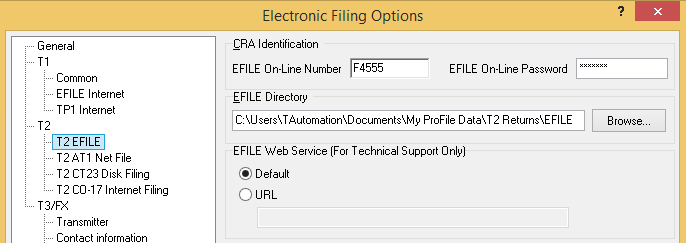
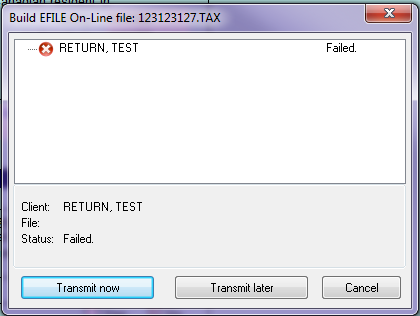
When trying to EFILE or Transmit a T1 and/or T2 return, ProFile gives a Failed message in the Build EFILE dialogue box, despite the fact that there are no auditor warnings or errors. There is also no option to expand the error.
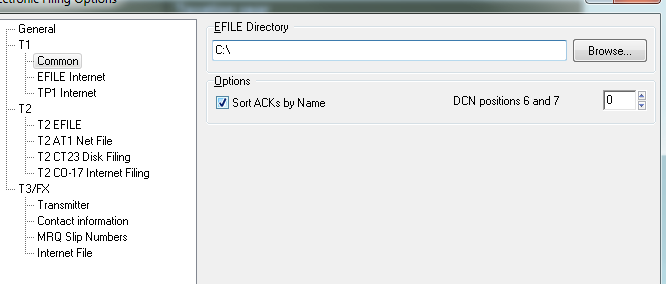
This error is usually caused by the wrong directory being selected.
Usually, ProFile cannot save files to the root directory, such as the C: drive
If a system has been recently upgraded, the directory may not be correctly setup and ProFile will not be able to save the transmission files to the correct directory, thus generating the error.
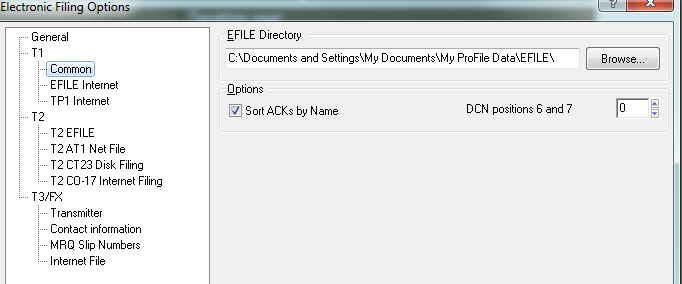
Note that on Windows XP, the file path was: C: Documents and Settings > My Documents > My ProFile Data > EFILE
This path is not supported on newer Windows versions unless otherwise specified by the user.
On Windows Vista, 7, 8 and 8.1, ProFile by default will save the files under:
T1 files (*.TAX): C: Users%Name%Documents > My ProFile Data > EFILE
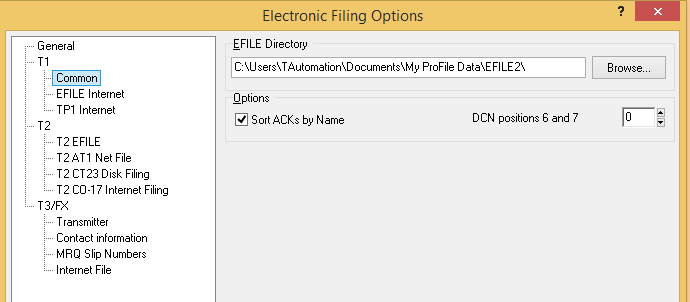
T2 files (*.cor): C: Users%Name%Documents > My ProFile Data > T2 Returns > EFILE