 Profile HelpIntuit
Updating the T2 module into the current year in ProFile
by Intuit• Updated 10 months ago
Note: Ensure your version of ProFile is up-to-date.
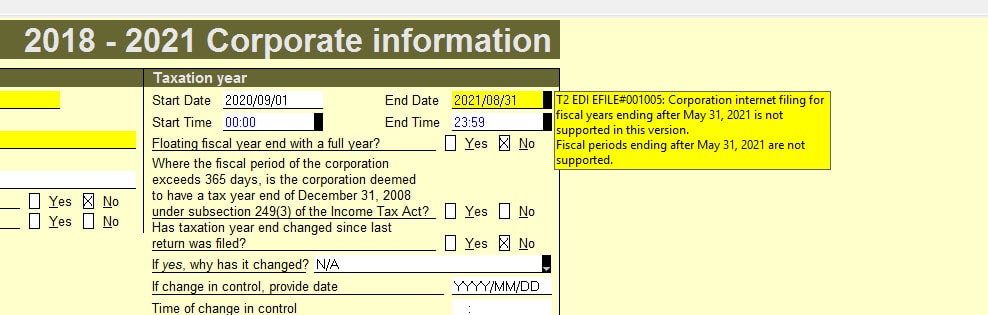
After an update, the T2 module year-end date still gives an error message:
T2 EDI EFILE#001005: Corporation internet filing for fiscal years ending after October 31, is not supported in this version. Fiscal periods ending after October 31, are not supported.
Resolution
Note: It's necessary to update the T2 module into the current year.
- Select the Properties... option from the File dropdown menu. The File Properties window will display.
- Select the option 0. Unknown in all available dropdown menus. The most common cause for this issue is the preparer saving the file with the Client Status of 8. Completed. In this situation, ProFile won't advance the file to the next module.
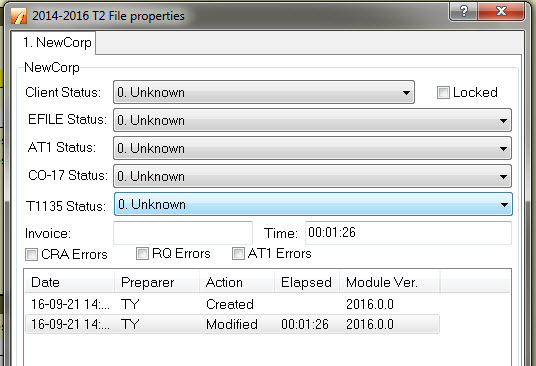
- Select OK.
- Select the Save option from the File dropdown menu.
- Close and reopen the return. A prompt will displays asking you to update the module:
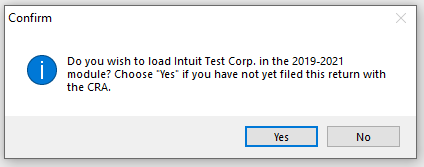
- Select Yes. The module will update.