
You can review this article for batch EFILE using Client Explorer.
Build the TAX files
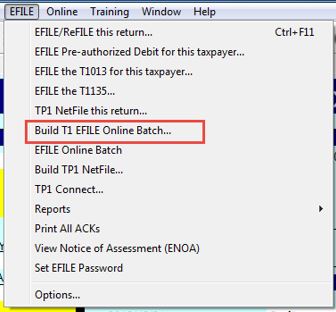
1. Select Build T1 EFILE Online Batch... from the EFILE drop-down menu in the top toolbar. The Build EFILE On-Line Batch window displays.
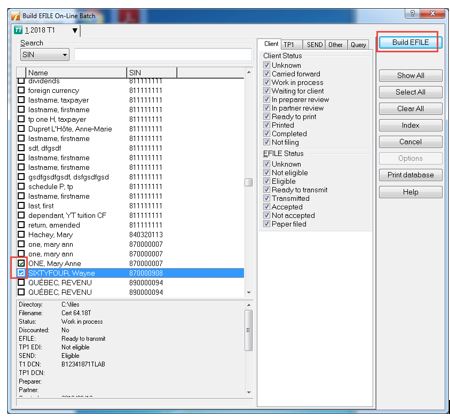
2. Identify and select with checkboxes the files that will undergo EFILE.
3. Click the Build EFILE button.
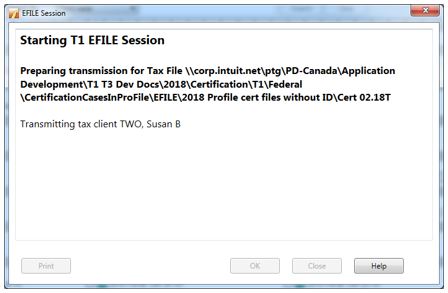
The EFILE Session window displays and the EFILE session begins.
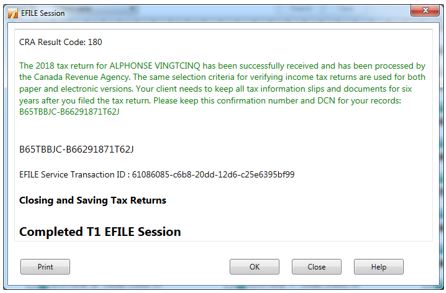
A summary displays following a successful transmission.
Print transmission results
ProFile users can print a hardcopy of the EFILE session printout (a snapshot of the transmission results window) and/or the EFILE report (a detailed report of the transmission).
ProFile users can also save the EFILE session printout as a PDF file.
Print the EFILE session printout
1. Click the Print button on the confirmation message. The Print window displays.
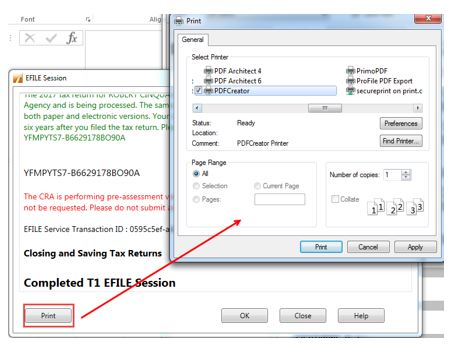
2. Click the Print button; a hardcopy of the EFILE session report prints to the default hardcopy printer.
Print the EFILE report
1. Click the OK button on the confirmation message; the EFILE Report window displays.
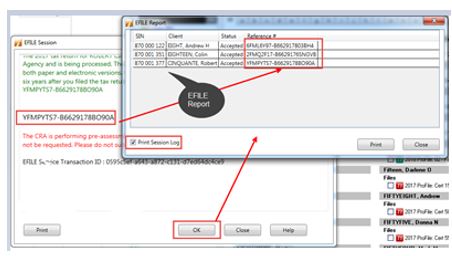
2. Select the Print Session Log checkbox.
3. Click the Print button. A hardcopy of the EFILE report prints to the default hardcopy printer.
Create a PDF of the EFILE session printout
1. Click the Print button on the confirmation message. The Print window displays.
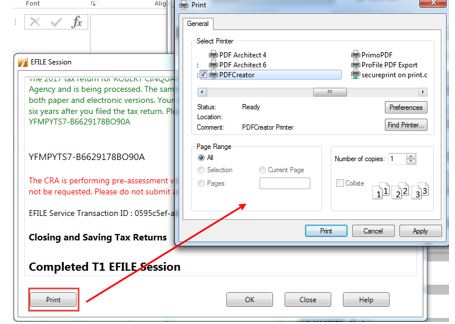
2. Select your PDF printing option in the Select Printer section of the window.
3. Click the Print button. The Save As window displays.
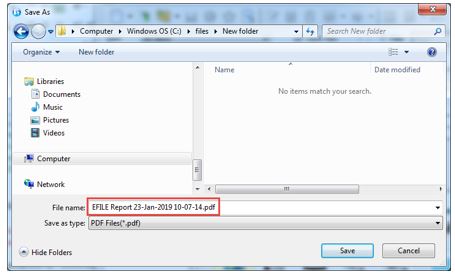
4. Select a folder or location to save the PDF to.
5. Designate a file name in the File name: field.
6. Select the option PDF Files (*.pdf) in the Save as type: field.
7. Click the Save button A PDF copy of the EFILE session printout saves to the designated folder or location.
Manage rejected batch filings
A rejected filing will display an error message in red text.
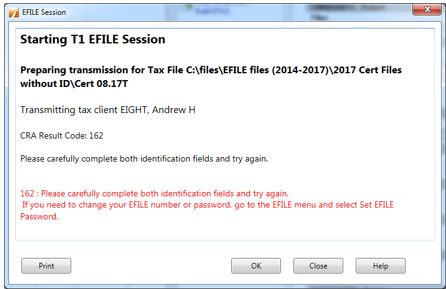
1. Review the EFILE errors.
2. Adjust the files in the batch or the EFILE settings as needed.
3. Retransmit the batch files.