 Profile HelpIntuit
Make a client "inactive" or "un-invited" in Link
by Intuit• Updated 4 months ago
Preparers can un-invite clients whose status is currently Invite Pending, or make a client inactive.
Clients who have accepted the preparer's invitation to Link and whose status is now Invite accepted cannot be un-invited.
Un-invite a client in Link
- Navigate and log on to the Link site.
- Select the Clients link from the menu. The list of clients displays.
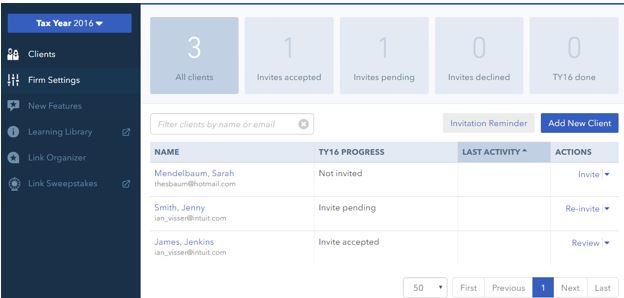
- Identify the client you want to un-invite from the client list. Their status will be listed as Invite pending.
- Alternatively, you can select the Invite pending filter above the client list.

The Invite pending filter displays only clients for who an invite is pending.

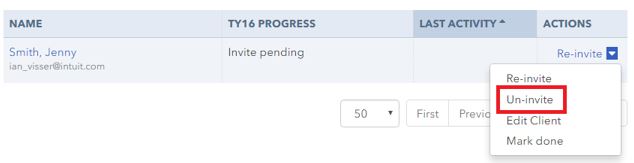
- Select Un-invite from the dropdown menu under the Actions column.
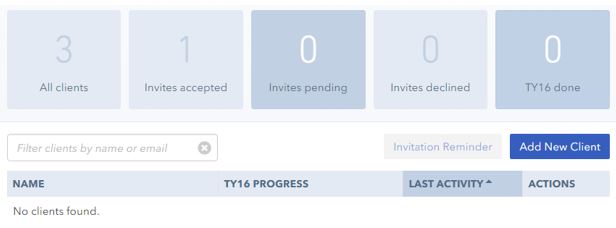
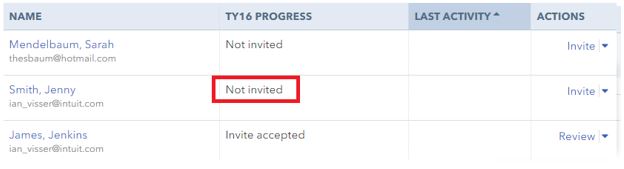
The client is removed from the Invites pending filtered list, and the client's status reverts to Not invited on the client's page.
Make a client inactive in Link
- Navigate and log on to the Link site.
- Select the Clients link from the left-side menu. The list of clients displays.
- Identify the client that you want to designate inactive.
- Select Manage clients.
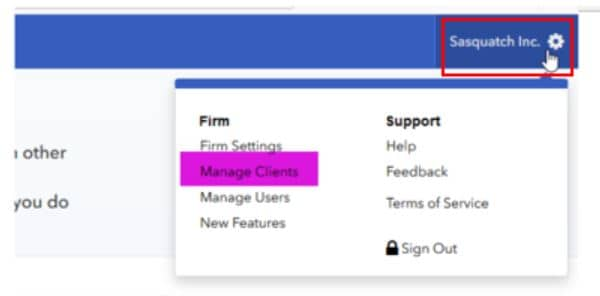
- Select Mark as Inactive.
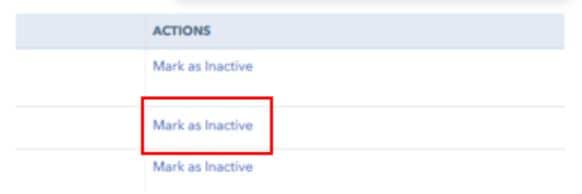
The client status will change to Inactive.
More like this