 Profile HelpIntuit
Run ProFile on a shared network directory
by Intuit• Updated 6 months ago
When there are many workstations in an office that share settings on a network, the license information can be stored in a file on the server. ProFile can be loaded directly from the network.
Once ProFile is installed in a shared directory on the server, the system admin needs to modify the startup.ini file so that it includes the product code and license key.
Modifying the startup.ini file
- Navigate to the ProFile folder (typically found under C:\Program Files (x86) ProFile).
- Open the startup.ini file in Notepad or another text editor.
- Enter the Product Code and License Key at the very bottom of the startup.ini document. Ensure you enter them as they appeared in the email you received when the product was purchased:
[License]
Name=
ProductCode=
Code=
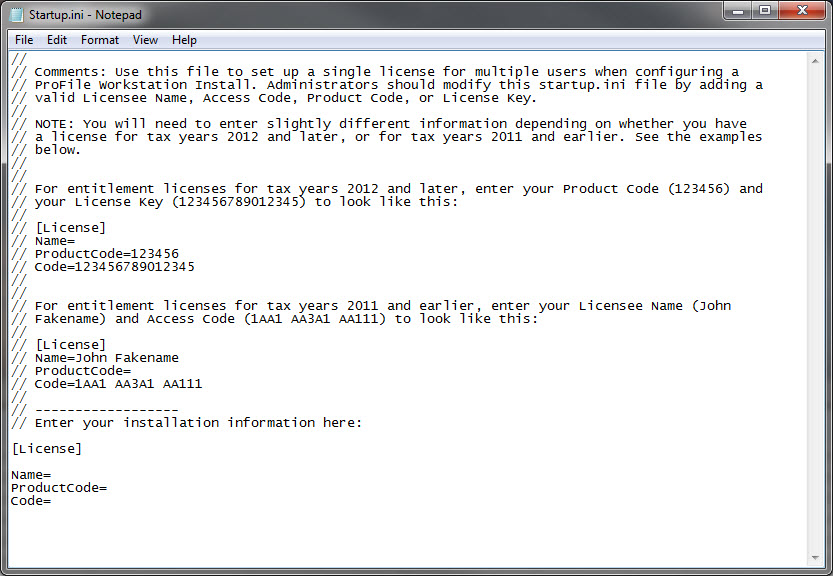
- Save the file.
The software now sources the license information from the .ini file when ProFile is opened from the workstation installed on the desktop.