 Profile HelpIntuit
Email integration with ProFile
by Intuit• Updated 7 months ago
When using the Build PDF feature in ProFile, select email, and then an Outlook message popup displaying the attached PDF.
Only Outlook desktop versions 2010 R2 and later are supported. The following platforms aren't supported:
- Office 365 apps (online only. Office 365 Desktop is supported)
- Other web email apps (e.g. Gmail on a Chrome browser).
- Other desktop email apps, including Thunderbird, Mailbird, Windows Live, and others
Handling errors in Outlook
The following is a common error in Outlook:
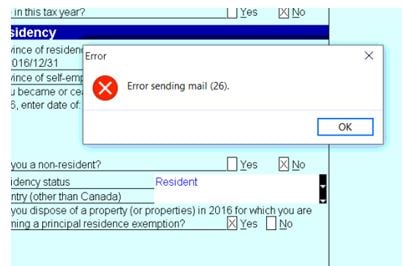
The full error message reads: Error sending mail (26).
Note: If it's a coupled return, help ensure you toggle to see if email addresses have been entered for both spouses.
This error can happen for some of the following reasons:
- The email isn't entered on the Print popup screen in ProFile.
- You are using one of the unsupported versions outlined above.
- Outlook isn't your default mail application. To fix this, close ProFile, and navigate to Start > Default application - Email > Set to Outlook. Reboot your PC and test again.
- Outlook is corrupt. Microsoft has steps to fix it, depending on your OS and version. Ask your IT person to help you repair Outlook.