 Profile HelpIntuit
Learn where an auto-calculated amount originates from in ProFile
by Intuit• Updated 4 months ago
Right-click in the field with a blue number.
The amount's origin (for example, S125#1) displays in the menu.
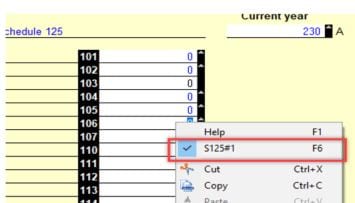
There may be multiple forms listed contributing to the field.
Note: Only the fields with an "up arrow" on their right side allow this option.
More like this