Profile HelpIntuit
Carry forward files in ProFile not saving in the correct location
by Intuit• Updated 4 months ago
There are two locations to check if files that have been carried forward are not saving in the desired location.
Check the first location
- Go to Options > Module.
- Under Carry forward files, make sure the option to Carry forward files to same location as previous year isn't selected.
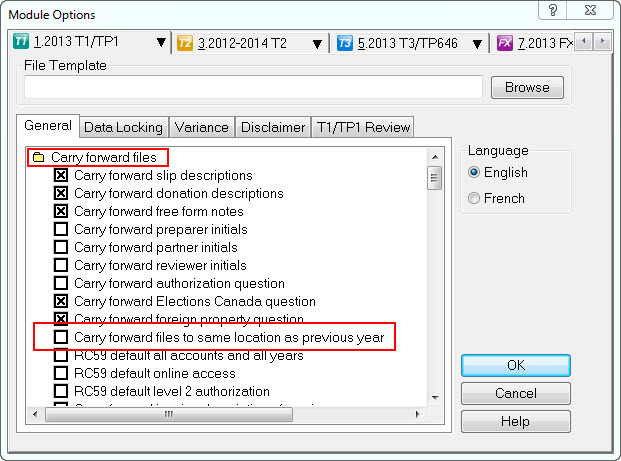
- Select OK.
Check the second location
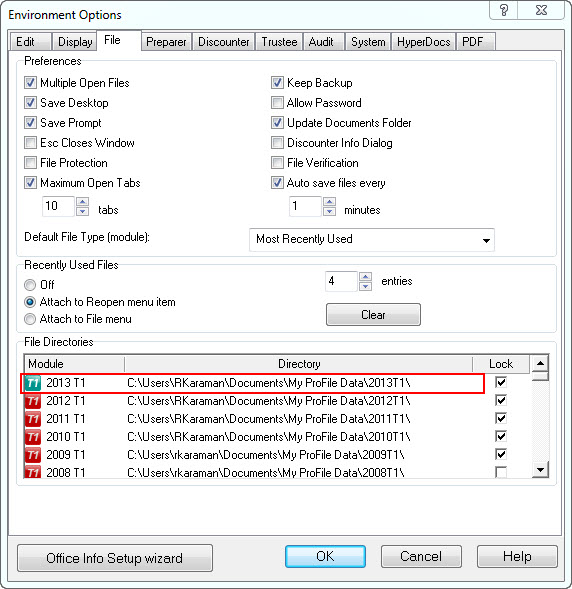
- Go to Options > Environment.
- Select the File tab.
- Check the Directory of the module to help ensure it's pointing to the desired location.