 Profile HelpIntuit
Change or prevent changes to Client Status in ProFile
by Intuit• Updated 2 years ago
Locking returns after print
To automatically lock a return after printing it:
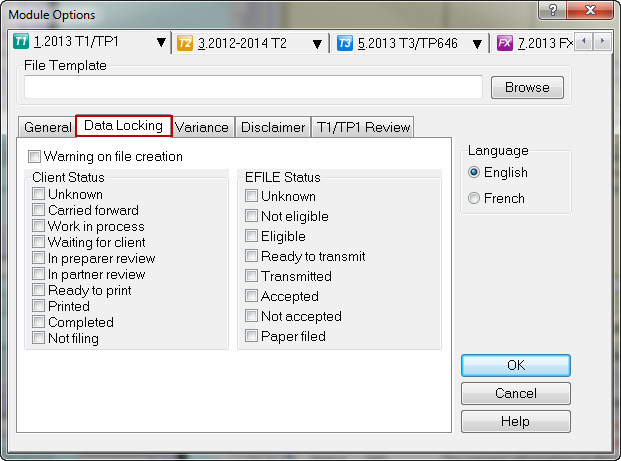
1. Go to Options > Module.
2. Click on the Data Locking tab.
3. Under the Client Status column, check or uncheck Printed. To lock the returns after they have been printed, check Printed. Otherwise, uncheck it or leave it unchecked.
4. Click OK.
To change Client Status after printing
To automatically change the Client Status after your returns have been printed:
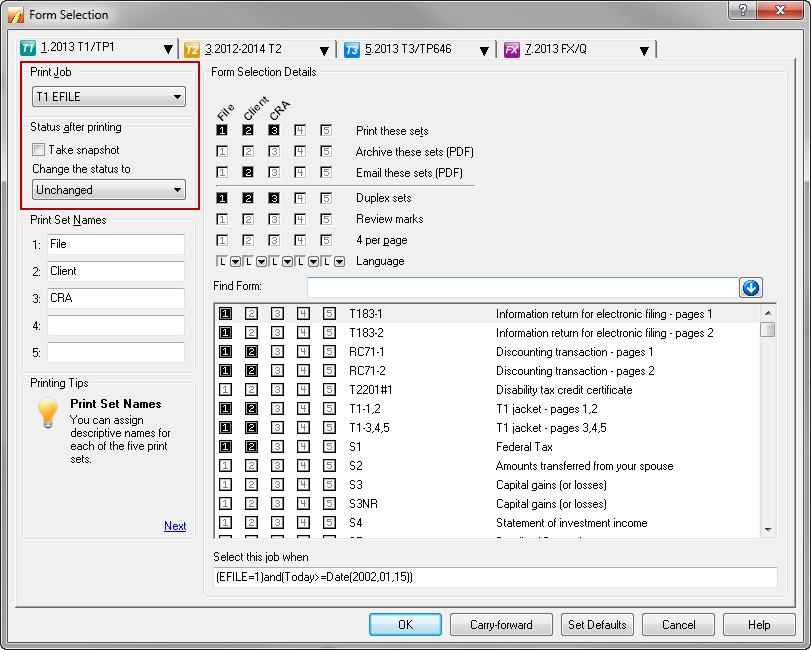
1. Go to Options > Form Selection.
2. On the left, select the correct Print job.
3. Next, select the correct Status after printing. This is the status that will change the Client Status in File Properties after a return has been printed.
4. Click OK.
More like this